
Best Second-Hand iPads in Kochi: What to Check Before Buying a Used iPad
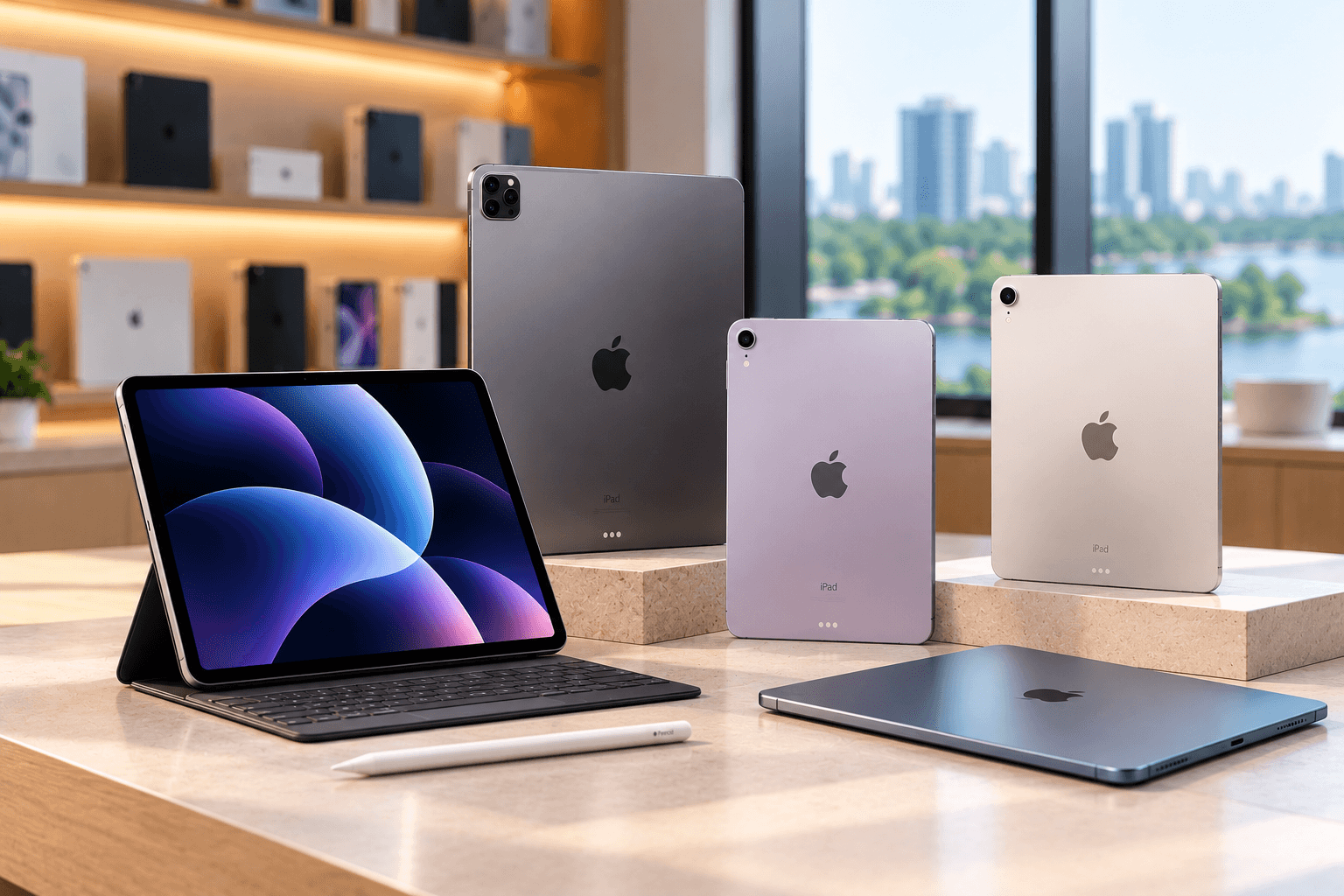
paying the full price of a brand-new device. Whether you need an iPad for online classes, office work, digital drawing, reading or entertainment, a preowned model may offer the features you need at a more accessible price.
However, choosing the right device requires more than comparing prices. Battery performance, display condition, storage capacity, software compatibility and accessory support can all affect your experience.
If you are planning to buy used iPads in Kochi, understanding these factors can help you compare available models and make a more informed decision. This guide explains what to check before purchasing a used iPad and how to find an option that suits your needs and budget.
Why Consider Buying a Second-Hand iPad?
Preowned iPads can be useful for buyers who want a portable device for productivity, education and entertainment without spending the full amount required for a new model.
Here are some reasons to consider a used iPad:
- Lower upfront cost: Preowned devices generally cost less than comparable new models.
- Suitable for learning: An iPad can support online classes, digital textbooks, PDF reading and note-taking.
- Portable productivity: You can use compatible accessories for typing, drawing and other tasks.
- Creative possibilities: Depending on the model, an iPad can support illustration, photo editing and content creation.
- More models to compare: You may be able to choose between different generations and configurations based on your budget.
The value of a preowned iPad depends on its condition, age, specifications, remaining software support and price. A low-cost device may not be the best choice if it has poor battery performance or cannot run the applications you need.
What to Check Before Buying Used iPads in Kochi
Before purchasing a preowned iPad, inspect the device carefully and verify its essential functions. The following checklist can help you evaluate your options.
1. Check Battery Performance
Battery condition affects how long an iPad can be used between charges. A device with a worn battery may require frequent charging, making it less convenient for students and professionals.
During your inspection, consider:
- Whether the battery drains unusually quickly
- Whether the device charges consistently
- Whether it becomes excessively warm during normal use
- Whether it shuts down unexpectedly
- Whether the seller can provide any available battery diagnostic information
Battery health information is not displayed in the same way on every iPad model. If a reliable battery-health reading is unavailable through the device settings, ask the seller whether the battery has been assessed.
Do not rely only on a short demonstration. Ask about the device's usage history and any known battery issues.
2. Inspect the Display and Touchscreen
The display is one of the most important parts of an iPad, especially if you plan to use it for reading, drawing or watching videos.
Check the screen for:
- Cracks and deep scratches
- Dead pixels or unusual discolouration
- Flickering or uneven brightness
- Unresponsive touchscreen areas
- Display lifting or visible signs of damage
Open different applications and test touch responsiveness across the screen. If you plan to use an Apple Pencil, test drawing or writing functionality where possible.
Also inspect the frame and corners for dents or signs of impact. Physical damage may indicate that the device has been dropped previously.
3. Verify the Model and Storage Capacity
Not every iPad is suitable for every task. Older models may be adequate for reading and browsing but may struggle with newer applications or demanding workloads.
Before buying, confirm:
- The exact iPad model and generation
- The available storage capacity
- Processor capabilities
- Compatibility with the apps you need
- Support for relevant iPadOS versions
- Compatibility with the accessories you plan to use
Storage is particularly important if you download videos, save large files, install creative applications or store educational materials.
For basic tasks such as reading and browsing, your requirements may be modest. For drawing, editing or multitasking, you may need a more capable model.
4. Test the Cameras, Speakers and Connectivity
A used iPad should be checked beyond its screen and external appearance. Test its essential functions before making a purchase.
Check the following:
- Front and rear cameras, where available
- Microphone and speakers
- Wi-Fi connectivity
- Bluetooth connectivity
- Charging port and charging cable connection
- Buttons and other physical controls
- Touch ID or Face ID, depending on the model
If you plan to attend online meetings or classes, camera and microphone performance should be a priority. If you need mobile data, confirm whether the model supports cellular connectivity and check its compatibility with your network.
5. Check Apple Pencil and Keyboard Compatibility
One advantage of an iPad is its support for accessories, but compatibility varies between models.
If you intend to use an Apple Pencil, verify the exact Pencil version supported by the iPad. Do not assume that every Apple Pencil works with every iPad.
Likewise, if you need a keyboard for typing assignments or office documents, check which keyboard accessories are compatible with the device.
Before purchasing accessories separately, confirm their model compatibility and additional cost. This helps you calculate the total budget rather than focusing only on the iPad's price.
6. Verify Account and Activation Status
Account security is essential when purchasing any preowned Apple device.
Make sure the previous owner's Apple Account has been removed and that Activation Lock is disabled. The iPad should be able to complete setup using your own account.
Avoid purchasing a device that remains linked to someone else's account or has unresolved activation issues. Ask the seller to demonstrate that the device can be activated normally before finalising the purchase.
Also request a receipt or other appropriate purchase documentation where available.
Which Used iPad Is Right for Your Needs?
Choosing the right model depends on how you plan to use the device. Instead of selecting an iPad based only on its generation or appearance, match its capabilities to your daily activities.
For Students
Students may use an iPad for online classes, reading digital textbooks, annotating PDFs and taking notes. Consider a model with sufficient storage, good battery performance and compatibility with your preferred note-taking applications.
If handwritten notes are important, Apple Pencil compatibility should be one of your main selection criteria.
For Office Work
For professionals, an iPad can support email, document editing, video meetings and presentations. Check application compatibility, multitasking capabilities and keyboard support.
If you regularly work with complex spreadsheets or desktop-only software, confirm that an iPad can handle your workflow before purchasing.
For Digital Art and Content Creation
Artists and creators should pay particular attention to display quality, Apple Pencil support, storage and application requirements.
Creative applications may require newer hardware or specific operating system versions. Confirm that the exact model supports the tools you plan to use.
For Browsing and Entertainment
If you mainly need a device for browsing, streaming, reading and casual applications, you may not need the highest-specification model.
Focus on display condition, battery performance, storage and software compatibility. A well-maintained device that meets your requirements may offer better value than a more expensive model with features you will rarely use.
How to Compare Preowned iPads in Kerala
When exploring preowned iPads in Kerala, compare multiple devices instead of deciding based on the first available option.
Use this practical comparison checklist:
- Compare the exact model: Check the generation, storage and connectivity configuration.
- Review the condition: Consider screen quality, body damage and any known repairs.
- Evaluate battery performance: Ask for available diagnostic information and check real-world operation.
- Check software support: Confirm that the iPad supports your essential applications.
- Calculate accessory costs: Include an Apple Pencil, keyboard or charger if required.
- Review warranty terms: Understand the duration, coverage and claim process.
- Compare total value: Consider the price alongside condition, features and expected useful life.
The same model can have different values depending on its condition and included accessories. A structured comparison helps you identify the device that best matches your requirements.
Where to Find a Reliable Used iPad Store in Kochi
When searching for used iPads in Kochi, consider stores that provide clear product information, transparent pricing and understandable warranty terms.
A reliable seller should be able to explain the device's model, storage, condition and known issues. You should also be able to clarify questions about account status, accessories and after-sales support.
Preown is one option to explore when comparing preowned Apple devices. Visit the Preown Kochi store page for local store information.
You can also browse the Preown product collection to explore the available product range. Confirm current iPad availability, prices, condition and warranty details before visiting or purchasing.
What Does a Certified Second-Hand Tech Provider Offer?
A certified second-hand tech provider should explain its inspection process and the condition standards applied to its devices. The word "certified" alone does not guarantee that every device is free from defects or covered by the same warranty.
Before buying, ask whether the seller has checked:
- Display and touchscreen functionality
- Battery and charging performance
- Cameras, speakers and microphones
- Wi-Fi and Bluetooth connectivity
- Buttons and biometric features
- Account and activation status
- Physical condition and known repairs
You should also confirm whether a warranty is included and which faults it covers.
When comparing the top certified used gadgets in Kerala, prioritise transparency, documented policies and clear answers to your questions. These factors help you assess the purchase more effectively than promotional claims alone.
Why Consider Preown for Preowned Apple Devices?
Preown focuses on premium preowned Apple devices for customers looking for alternatives to buying new. When comparing any store, review the available product information, device condition and warranty terms before making a decision.
Whether you need an iPad for studying, professional productivity or creative projects, choose a model based on your actual requirements and budget.
Visit the Preown website to learn more about its product range and store information.
Ready to Choose Your Used iPad?
Finding the right second-hand iPad starts with understanding what you need it for. Compare models, inspect the screen, check battery performance, verify software compatibility and review warranty coverage before purchasing.
If you need more information about available options, contact the Preown team to discuss your requirements.
Conclusion
The best second-hand iPad in Kochi is one that matches your needs, fits your budget and offers suitable performance for the tasks you plan to complete. Whether you need a tablet for online learning, office work, digital art or entertainment, carefully comparing preowned devices can help you make a better-informed choice.
Before buying, check battery performance, display condition, storage, connectivity, accessory compatibility and activation status. Also review the seller's inspection process and warranty terms. These steps can help you choose a suitable preowned iPad in Kochi or elsewhere in Kerala with greater confidence.
Frequently Asked Questions
1. Where can I buy used iPads in Kochi?
You can compare preowned gadget stores in Kochi and review their available iPad models, condition, prices and warranty policies. Preown's Kochi store page is one place to start. Confirm current availability and the details of your preferred model with the seller before visiting.
2. Is buying a second-hand iPad worth it?
A second-hand iPad can offer good value if its condition, specifications and software support meet your requirements. It may be suitable for reading, online classes, browsing, office tasks or creative work. Compare its price with similar models and consider battery performance, accessory costs and warranty coverage before buying.
3. How do I check the battery health of a used iPad?
Battery-health information is not presented identically across all iPad models. Check the device's available settings and ask the seller whether a battery diagnostic or service assessment is available. You should also observe charging behaviour and ask about rapid battery drain, unexpected shutdowns and previous battery replacements.
4. Which iPad is best for students?
The right iPad depends on your study requirements and budget. Students who read PDFs and attend online classes may prioritise battery performance, storage and display condition. Those who take handwritten notes should also check Apple Pencil compatibility. Confirm that the chosen model supports the educational applications you need.
5. Can I use an Apple Pencil with every preowned iPad?
No. Apple Pencil compatibility varies by iPad model and Pencil version. Check Apple's official compatibility information for the exact iPad you intend to buy. If possible, test the accessory before purchasing it separately and include its cost in your overall budget.
6. What should I check before buying a certified preowned iPad?
Check the display, touchscreen, battery performance, cameras, speakers, charging port, connectivity and physical condition. Verify the model, storage, software compatibility and account status. Ask what the seller's inspection process covers and review the warranty, return policy and any disclosed repairs.
7. Do used iPads come with a warranty?
Warranty coverage depends on the seller, device and purchase terms. Some preowned iPads may include a seller warranty, while others may have limited or no coverage. Before paying, confirm the warranty duration, covered faults, exclusions and process for requesting service.
Ready to Find Your Perfect Device?
Explore our collection of premium pre-owned phones and latest gadgets.
Shop Now