
MacBook Air vs MacBook Pro: Which Used MacBook Should You Choose?
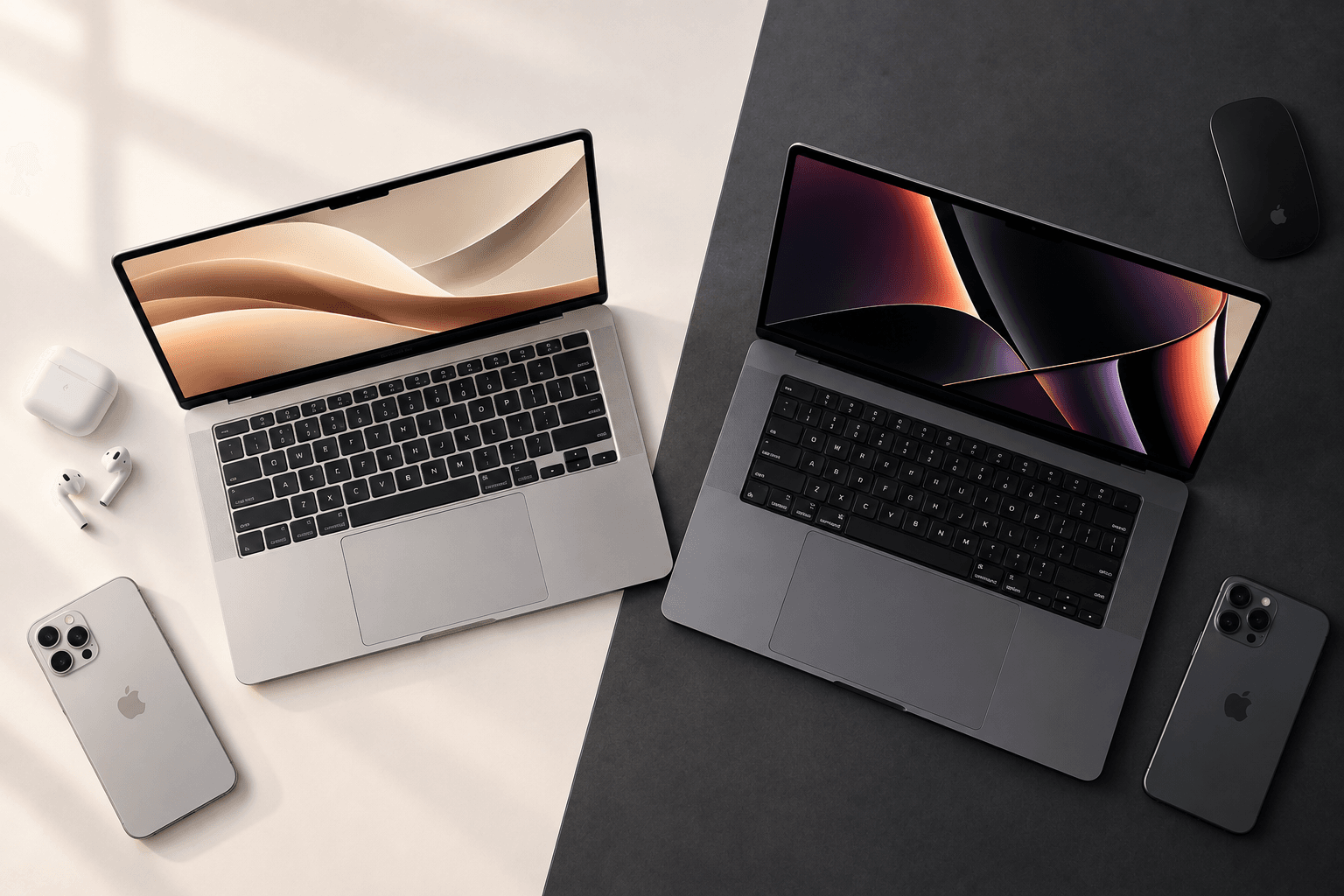
If you're looking at Preowned MacBooks Kochi, choosing between a MacBook Air and MacBook Pro depends less on the name and more on how you plan to use the laptop.
For students, office users and people who mainly browse, write, attend meetings and use everyday applications, a MacBook Air may provide everything they need. Users working with demanding video editing, 3D, software development or other sustained workloads may need the additional capabilities available on a MacBook Pro.
The good news is that Apple's silicon-powered MacBooks have made even previous-generation models highly capable. When buying preowned, however, the exact chip, memory, storage, battery condition and physical condition matter just as much as whether the machine is labelled Air or Pro.
What Is the Main Difference Between MacBook Air and MacBook Pro?
The biggest difference is the balance between portability and sustained performance.
MacBook Air is designed around a thin, light, fanless form factor and everyday-to-creative performance. The current MacBook Air with M5, for example, has a 10-core CPU, up to a 10-core GPU, up to 32GB unified memory and up to 18 hours of battery life.
MacBook Pro is designed for more demanding professional workflows. Apple's current MacBook Pro lineup includes 14-inch and 16-inch models, with configurations extending to M5 Pro and M5 Max, alongside higher memory, storage and connectivity options.
For a preowned buyer, this means the right choice should be based on workload rather than simply choosing the more expensive model.
Is MacBook Air Better for Students and Everyday Work?
MacBook Air can be a practical choice for students and everyday users who value portability and battery life.
Typical tasks include:
- Microsoft Office or Google Workspace
- Web browsing
- Online classes
- Video meetings
- Research
- Canva
- Basic photo editing
- Social media management
- Content writing
- Coding
- Streaming
- General productivity
The current 13-inch MacBook Air with M5 has a compact 13.6-inch Liquid Retina display, while the 15-inch version provides a larger 15.3-inch workspace. Apple rates both current models for up to 18 hours of battery life under its specified testing conditions.
For buyers considering a used MacBook Kochi, an earlier-generation MacBook Air can also be worth evaluating if its specifications, battery condition and price suit the intended workload.
When Does a MacBook Pro Make More Sense?
MacBook Pro becomes more relevant when the workload requires sustained performance, more demanding graphics capabilities or professional-level connectivity.
It can be particularly relevant for:
- Professional video editing
- 3D rendering
- Large software projects
- Advanced programming workloads
- Music production
- High-resolution creative work
- Large datasets
- Professional photography workflows
- Long rendering or export sessions
Apple's current MacBook Pro models include Liquid Retina XDR displays, additional Thunderbolt connectivity and higher-performance M5 Pro and M5 Max configurations. Apple also highlights these systems for demanding workflows involving 4K and 8K video, AI and complex datasets.
That doesn't mean every professional needs a MacBook Pro. The important question is whether your workload actually benefits from its additional capabilities.
How Important Is the Chip When Buying a Preowned MacBook?
The chip can matter more than the Air-versus-Pro label.
A newer MacBook Air with Apple silicon can outperform an older MacBook Pro in some everyday workloads. Therefore, comparing only the product name can produce a misleading conclusion.
When evaluating a preowned MacBook, identify:
- Apple silicon or Intel processor
- Exact chip generation
- CPU configuration
- GPU configuration
- Unified memory
- SSD storage
- Model year
- Display size
Apple's current Mac comparison page lists multiple generations of MacBook Air and MacBook Pro, including M1, M2, M3, M4 and current M5 models.
This makes the exact configuration especially important when comparing used machines.
Does RAM Matter More for a Used MacBook?
Memory matters because it affects how comfortably the MacBook can handle multiple applications and demanding workloads.
For everyday use, a suitable memory configuration may be enough for browsing, documents, meetings and general productivity.
For heavier workflows such as video editing, software development or running multiple demanding applications simultaneously, additional unified memory can be more useful.
When comparing two Preowned MacBooks Kochi, don't assume that the Pro is automatically the better purchase. Compare the actual memory configuration and the workload you expect to run.
A well-configured Air can be more appropriate than an under-specced Pro for some users.
Does Storage Affect Which Used MacBook You Should Choose?
Yes.
Storage requirements depend heavily on how you use the laptop.
A user who mainly works with cloud documents and browser-based applications may need considerably less local storage than someone who keeps:
- 4K video footage
- RAW photographs
- Large design files
- Xcode projects
- Music libraries
- Offline media
- Virtual machines
When comparing a preowned MacBook, check the actual SSD capacity rather than assuming that all Air or Pro models have the same storage.
Apple's current MacBook Air starts at 512GB, while current MacBook Pro configurations have higher starting storage depending on the chip configuration.
Older preowned models can have very different configurations, so verify the exact machine before purchasing.
Is MacBook Air More Portable Than MacBook Pro?
Generally, MacBook Air is designed around portability.
Its thin, lightweight, fanless design makes it attractive for people who regularly move between:
- College
- Office
- Home
- Cafés
- Client meetings
- Travel
MacBook Pro models are generally designed around higher performance and additional hardware capabilities, which can make them more appropriate when performance takes priority over minimum weight.
If you carry your laptop around every day, portability should be included in your buying decision—not treated as a secondary specification.
Which Has the Better Display: MacBook Air or MacBook Pro?
This depends on the specific generation, but current MacBook Pro models have a significant display advantage.
Current MacBook Pro models use a Liquid Retina XDR display, while current MacBook Air models use a Liquid Retina display.
For regular productivity, web browsing and study, the MacBook Air display may be more than sufficient.
For professional photography, video editing, HDR content and workflows where display quality matters heavily, a MacBook Pro's display capabilities can become more relevant.
When buying used, always evaluate the exact generation rather than assuming every MacBook Pro has identical specifications.
Which MacBook Has Better Connectivity?
MacBook Pro generally offers more connectivity on higher-end configurations.
Current MacBook Air models feature two Thunderbolt 4 ports and support up to two external displays under specified conditions.
Current MacBook Pro models provide a broader range of connectivity, including Thunderbolt 5 on the M5 Pro and M5 Max models, depending on configuration.
For users who regularly connect external displays, storage devices, cameras or other professional equipment, ports can be an important deciding factor.
What Should You Check When Buying a Preowned MacBook?
Before purchasing a used MacBook, don't evaluate it only by the processor and price.
Check the following:
Battery Condition
Review battery condition and cycle information where available. A heavily used MacBook may require battery service sooner.
Display
Look for scratches, pressure marks, dead pixels, brightness irregularities and other display issues.
Keyboard and Trackpad
Test every important key and make sure the trackpad responds normally.
Ports
Test charging and relevant USB, Thunderbolt, headphone and other available ports.
Camera, Speakers and Microphones
Test them before purchasing, particularly if you use the MacBook for meetings or content creation.
macOS and Activation Status
Make sure the device can be properly erased and set up under your ownership.
Physical Condition
Inspect the aluminium body, hinges, corners and screen for signs of drops or significant impact.
Exact Specifications
Verify the chip, memory, storage, display size and model before finalising the purchase.
How Does a Certified MacBook Compare With an Ordinary Used MacBook?
The word certified should refer to a defined inspection or quality-assurance process, but the exact meaning can vary between sellers.
A professionally checked preowned MacBook should ideally have its:
- Hardware tested
- Battery assessed
- Display inspected
- Keyboard and trackpad checked
- Ports tested
- Camera and speakers checked
- Physical condition evaluated
- Software and ownership status verified
Buyers should ask what the seller's certification process actually includes rather than relying on the word alone.
If you're comparing Preown's available Apple products, review the specific device specifications and condition information before making a decision.
Which Used MacBook Is Better for Different Users?
Instead of asking whether Air or Pro is universally better, match the laptop to your workload.
For Students
A MacBook Air can be suitable for:
- Classes
- Research
- Documents
- Presentations
- Programming
- Online meetings
A Pro may make sense for students studying video production, 3D, engineering or other demanding disciplines.
For Office Professionals
For email, spreadsheets, presentations, browser applications and video meetings, a MacBook Air may provide sufficient capability.
For Social Media Managers
A MacBook Air can handle many social media workflows, including Canva, content planning, browser-based tools and basic video editing.
For Video Editors
A MacBook Pro may be more appropriate for professionals working regularly with demanding video projects, particularly when sustained rendering and export performance matters.
For Developers
Both can work well for programming. The appropriate choice depends on the development environment, project size, containers, virtual machines and other tools being used.
For Designers and Creators
Consider the display, memory, storage and GPU configuration alongside the Air or Pro label.
What Should You Prioritize When Buying Preowned MacBooks in Kochi?
A useful order of evaluation is:
- Your workload
- Exact chip
- Unified memory
- Storage
- Battery condition
- Display condition
- Physical condition
- Repair history
- Warranty or return support
- Final price
This approach helps prevent a common mistake: paying extra for a MacBook Pro when the additional performance is not actually needed—or choosing an older Pro simply because it carries the “Pro” name.
For buyers specifically searching for preowned MacBooks in Kochi, comparing the complete configuration is more useful than comparing model names alone.
Why Choose Preown for Preowned MacBooks?
Preown focuses on premium preowned Apple devices and provides buyers with an opportunity to compare Apple products according to their budget and requirements.
For buyers evaluating a certified MacBook, understanding the device's condition, specifications and available quality assurance is essential.
You can learn more about Preown and its approach to preowned Apple devices before choosing a device.
For local buyers, Preown also provides information for customers looking for Apple products through its Kochi store.
Need Help Choosing Between a Used MacBook Air and Pro?
If you're unsure whether you need the additional capabilities of a MacBook Pro or whether a MacBook Air would meet your requirements, compare the exact specifications against your daily workload.
You can contact Preown's experts for assistance when evaluating available Apple devices.
Choosing the Right MacBook for Your Workload
The Air-versus-Pro decision becomes much easier when you start with your actual requirements.
For everyday productivity, study, browsing, office work and many creative tasks, a suitable MacBook Air can provide strong performance in a portable design.
For sustained professional workloads, demanding graphics, advanced video production or workflows that benefit from higher-end hardware, a MacBook Pro may offer capabilities that justify its higher position in Apple's lineup.
When buying Preowned MacBooks Kochi, focus on the exact chip, memory, storage, battery condition, physical condition and price rather than choosing based solely on the Air or Pro name.
Frequently Asked Questions
1. Is a used MacBook Air good for students?
Yes. A MacBook Air can be suitable for students who primarily need a laptop for research, documents, presentations, online classes, browsing, programming and everyday productivity. When buying preowned, the exact chip, memory, storage, battery condition and physical condition should be checked before purchase.
2. Is a used MacBook Pro better for video editing?
A MacBook Pro can be more suitable for demanding video-editing workflows, particularly when projects involve sustained rendering, high-resolution footage or professional production workloads. However, the exact chip and memory configuration matter considerably, so buyers should compare specifications rather than relying only on the Pro name.
3. Which is better for everyday work, MacBook Air or Pro?
For everyday work such as browsing, documents, meetings, presentations and general productivity, a suitable MacBook Air can provide more than enough capability. A MacBook Pro becomes more relevant when the workload requires additional sustained performance, display capabilities or connectivity.
4. What should I check when buying a preowned MacBook?
Check the exact model and chip, memory, storage, battery condition, display, keyboard, trackpad, ports, camera, speakers, physical condition and software status. Also confirm the seller's warranty and return terms. These checks are particularly important when comparing different used MacBook configurations.
5. Is an older MacBook Pro better than a newer MacBook Air?
Not automatically. A newer MacBook Air with a newer Apple silicon generation can be more appropriate for some workloads than an older MacBook Pro. Compare the exact processor, memory, storage, battery condition and features rather than assuming that the Pro label always means better performance.
6. How much storage should I get in a used MacBook?
Choose storage based on your actual workload. Students and office users who rely heavily on cloud storage may need less local storage, while video editors, photographers, developers and creators working with large files may benefit from more. Always verify the exact SSD capacity of a preowned MacBook before buying.
7. Where can I compare preowned MacBooks in Kochi?
You can explore available Apple devices through Preown and compare individual MacBook configurations based on specifications, condition and requirements. Buyers can also use Preown's Kochi store information when looking for Apple products locally.
Ready to Find Your Perfect Device?
Explore our collection of premium pre-owned phones and latest gadgets.
Shop Now